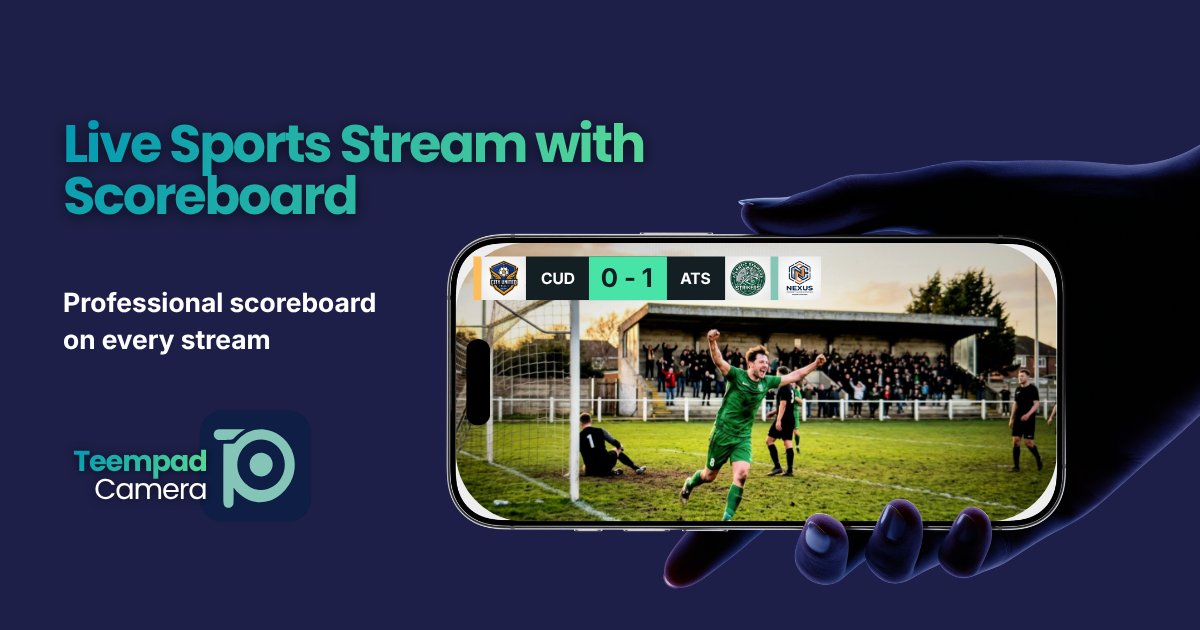
Turn any iPhone into a broadcast camera with scoreboard, team badges, and sponsor logos. One club subscription, unlimited devices, simultaneous streams.
Updated for iOS 26
Free to start. No credit card required.
Any parent with an iPhone can broadcast like TV.
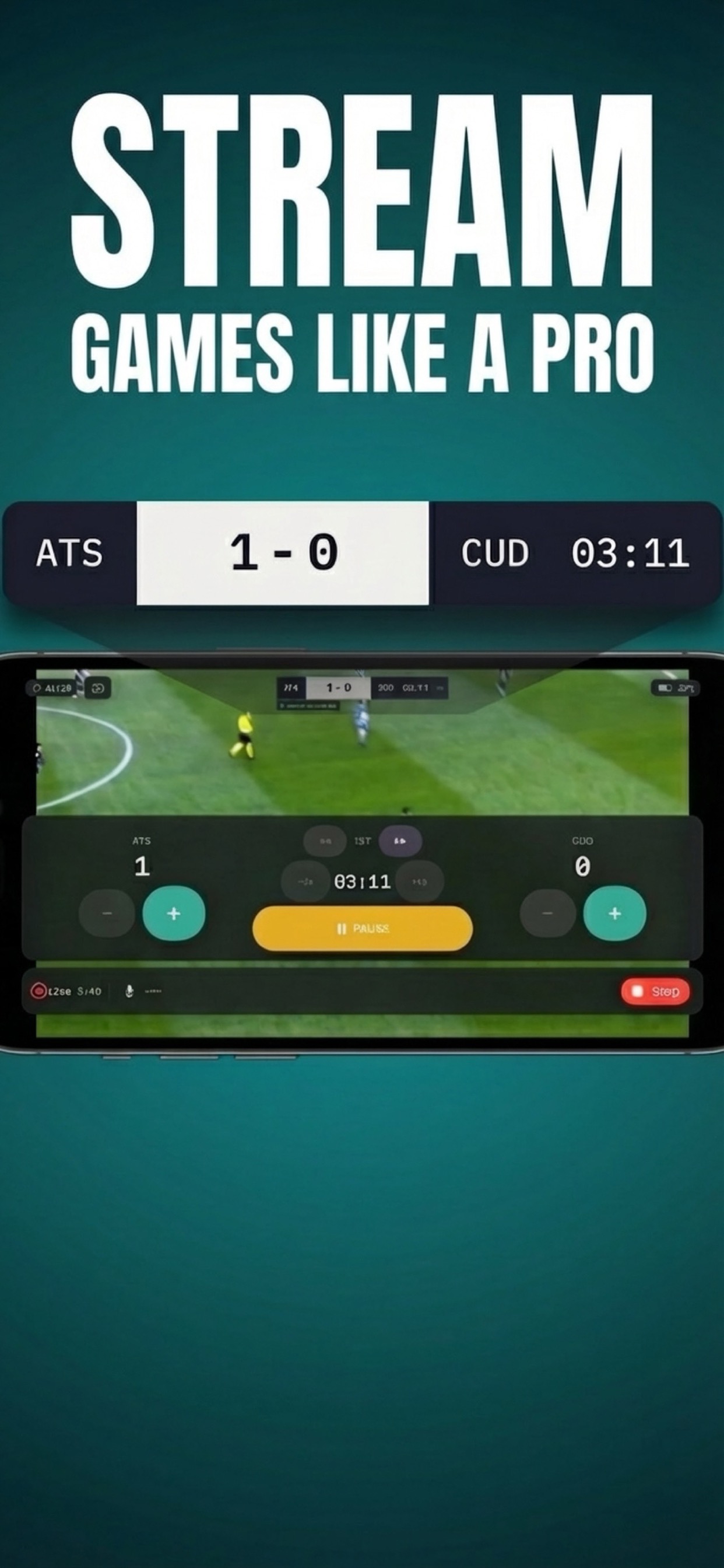
No camera crew. No equipment. No technical skills. Point the phone, tap Start, and the game is live on YouTube with a professional scoreboard — team names, score, clock, sponsor logos, all embedded in the stream.
One subscription. Every team. Every game.
$149.99/year. That's it. Your club subscribes once, and every iPhone signed into that Apple ID can stream — at the same time, in different venues, with no per-device or per-team fees.
Unlimited devices
Install on as many iPhones as you need. Same Apple ID, same subscription, every device.
Simultaneous streams
Two venues, three courts, five fields. Every game can be live at the same time. No extra cost.
Anyone can operate it
A parent, a substitute, a volunteer. No training needed. If they can use an iPhone, they can broadcast.
Ready in 2 minutes
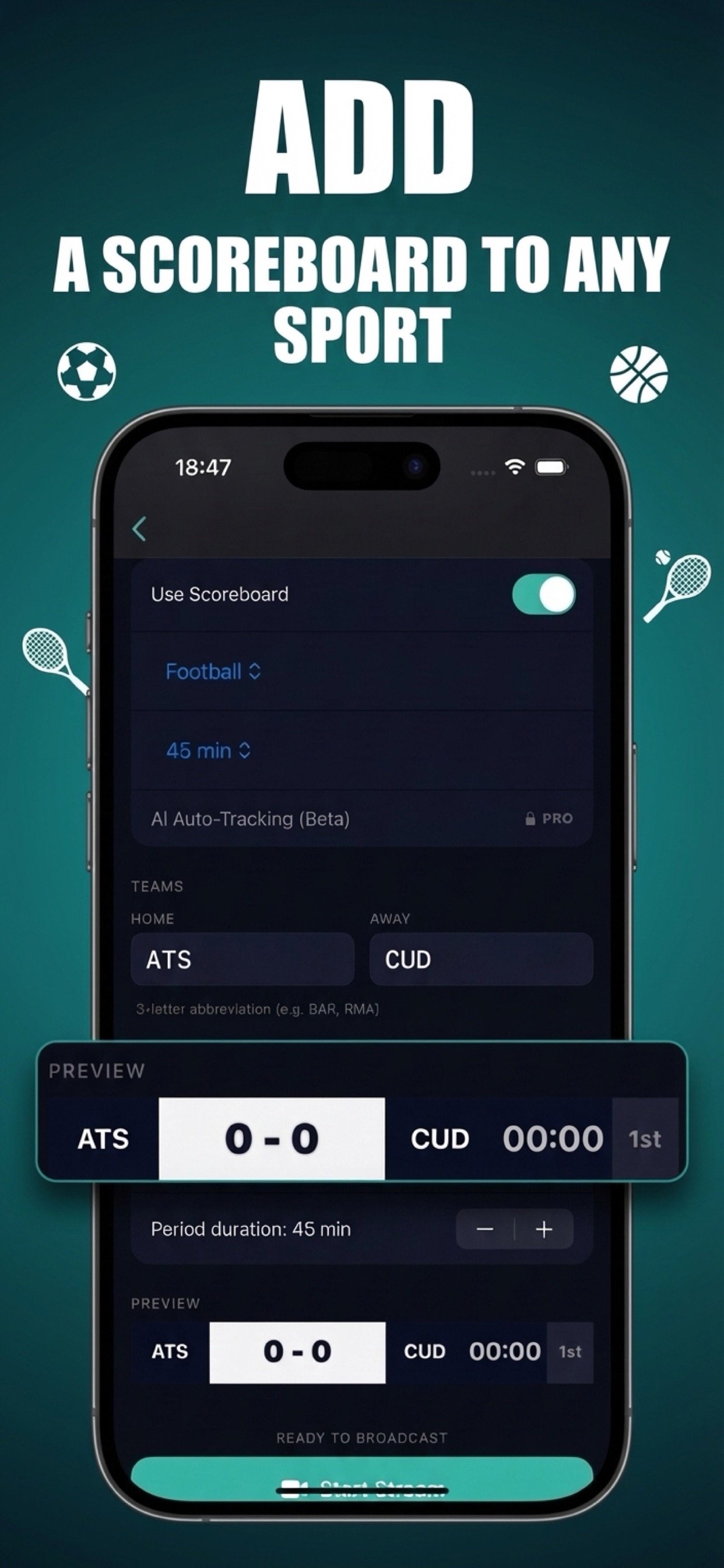
Open the app, pick the sport, tap Start. The scoreboard, sponsors, and team badges appear automatically.
Not a cost. A revenue tool.
Clubs don't pay for streaming software. They invest in sponsor visibility, professional image, and family engagement — and Teempad pays for itself.
Professional image
Your streams look like they come from a club with a production budget. Parents share them. Sponsors notice.
Sponsor revenue
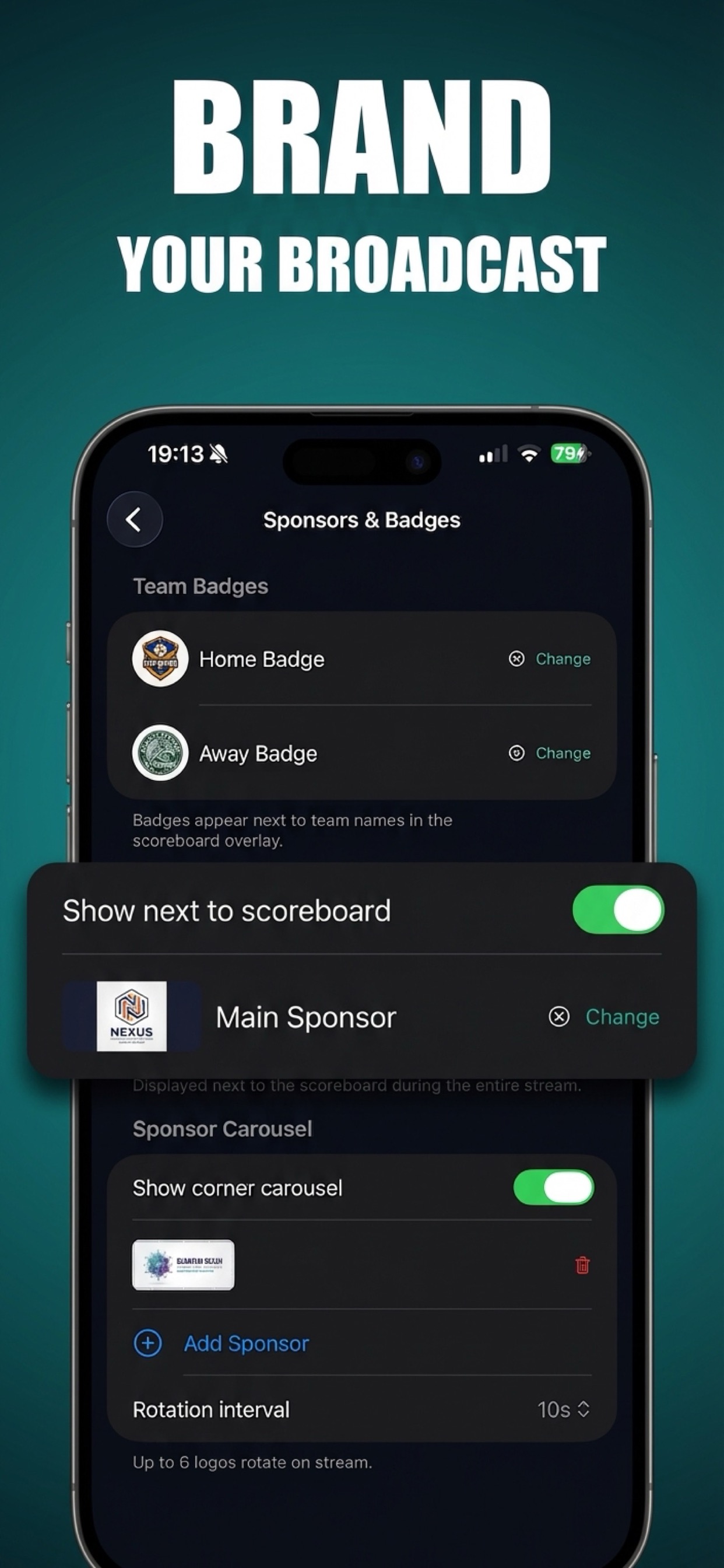
Rotate up to 6 sponsor logos on every stream. One local sponsor paying $200/year for visibility covers the entire subscription — the rest is profit for your club.
Content for social media
Every stream is automatically saved to YouTube. Clip highlights, share on Instagram, build your club's presence.
Less volunteer burden
No need to find a "tech person" every Saturday. Anyone with the club iPhone can handle it.
White-label branding
Remove all Teempad branding. Your streams, your identity. Team badges on the scoreboard.
Families love it
Grandparents who can't be there. Parents traveling for work. Everyone can watch every game, live.
Up and running in 5 minutes.
No IT department needed. No setup appointment. No hardware to buy.
1
Download the app
Install Teempad Camera on any iPhone. Sign in with your club's Apple ID and subscribe to Club tier.
2
Add your branding
Upload team badges and sponsor logos. Choose your scoreboard style and colors. This takes one minute.
3
Go live
Point the iPhone at the field, connect to YouTube, tap Start. The game is live with a professional broadcast overlay.
See it in action.
Everything you need. Nothing you don't.
Built specifically for live sports. Not a generic streaming tool adapted for sports — a sports tool that streams.
Streaming
YouTube integrationSign in, pick your event, go live. No stream keys to copy.
1080p HDBroadcast-quality video. Adaptive bitrate for unstable connections.
Unlimited durationTournaments, double-headers, overtime. No time limits on paid plans.
Auto-reconnectConnection drops? The stream reconnects automatically. No data lost.
Scoreboard & Overlays
24 sportsEach with its own layout, clock rules, and scoring logic.
Team badges & colorsYour crests on the scoreboard. Your colors on the overlay.
Sponsor carouselUp to 6 rotating sponsor logos visible to every viewer.
3 overlay stylesMinimal, Classic, or Bold. 4 positions, 3 sizes.
Score Control
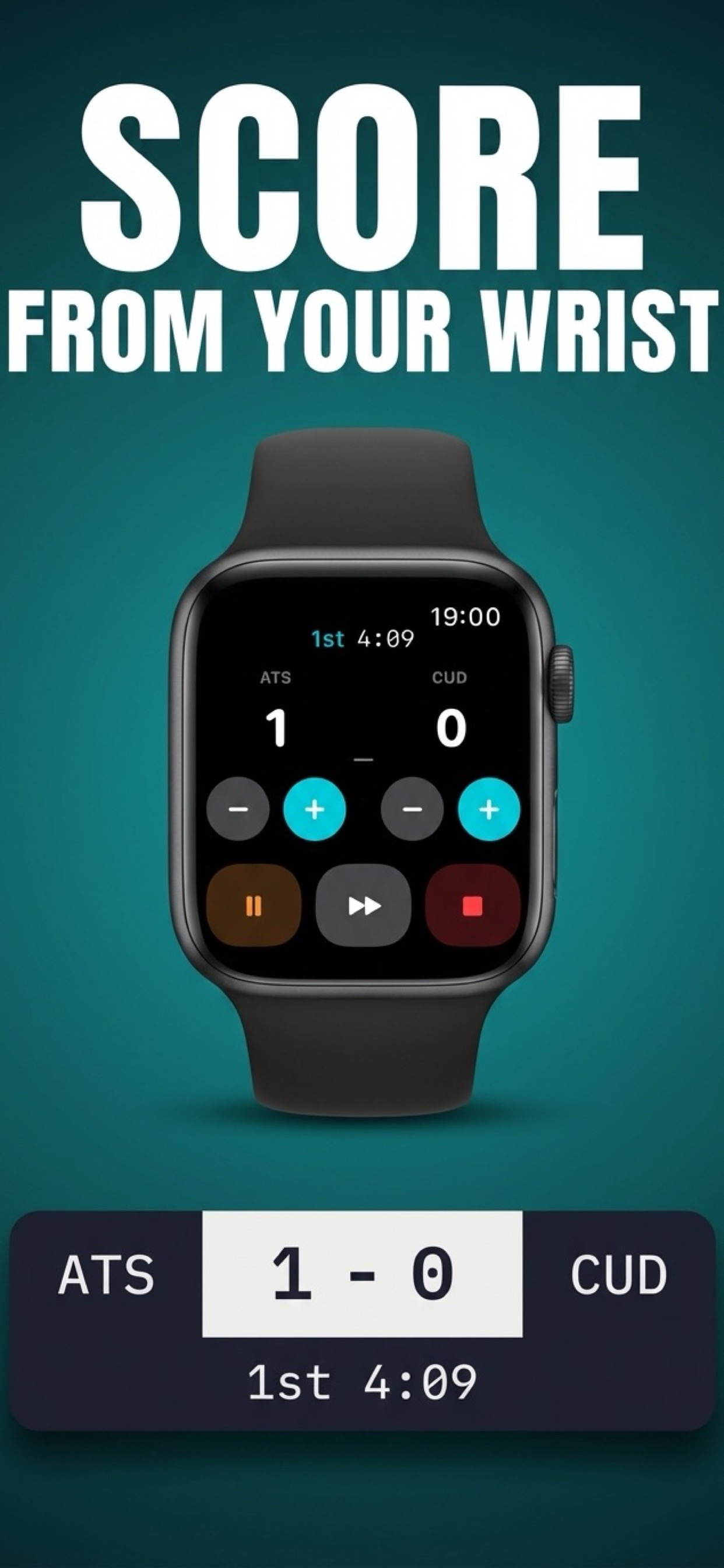
Apple Watch appUpdate the score from your wrist. Perfect for coaches who are also filming.
Remote scoringA second person controls the scoreboard from their own iPhone.
Siri & Shortcuts"Hey Siri, add a goal for the home team." Voice control, hands-free.
Live ActivityScore visible on Dynamic Island and Lock Screen, even when you switch apps.
Smart Camera
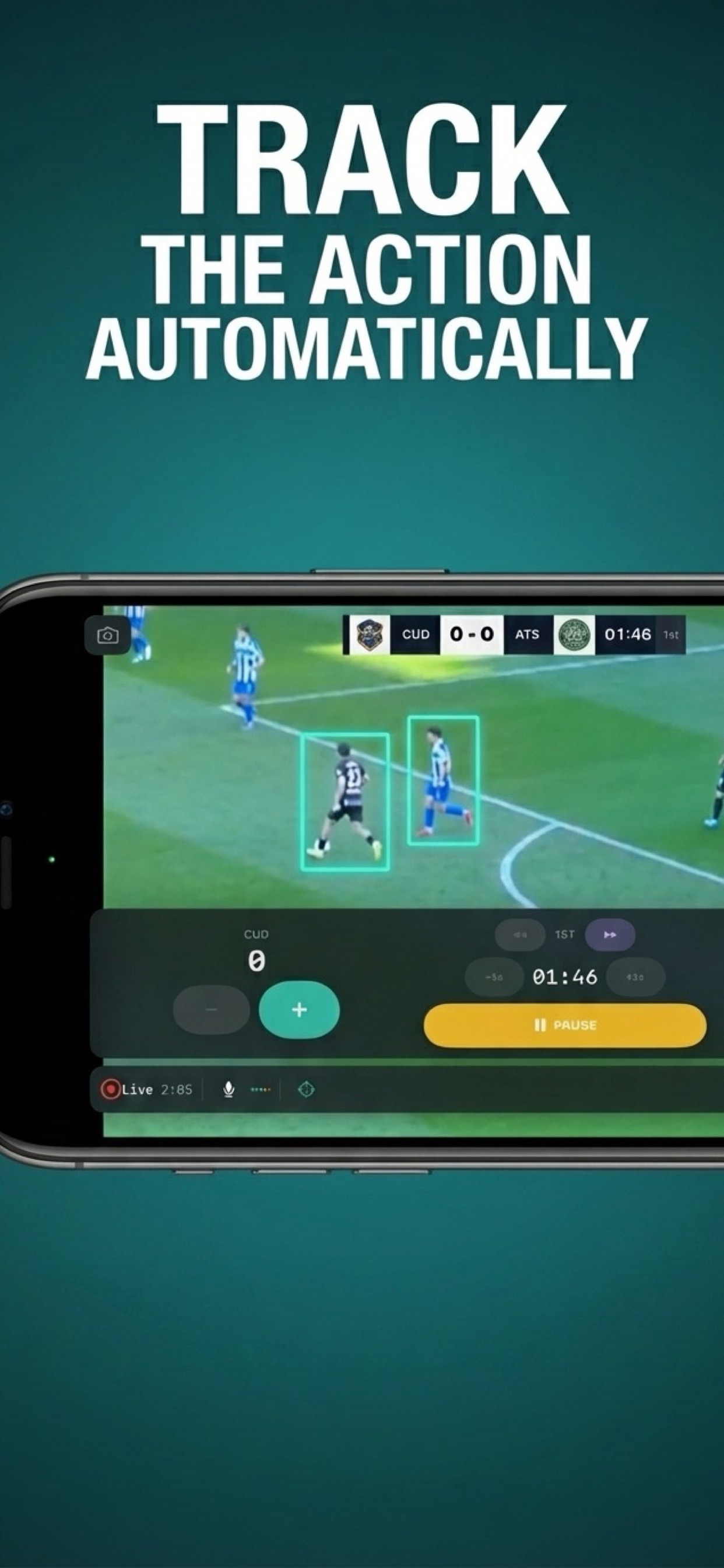
AI auto-tracking BetaPlace the iPhone on a tripod and AI follows the action. Captures in 4K, streams in HD. 100% on-device — no images ever leave your phone.
Instant replayReplay the last 5, 10, or 15 seconds at full speed or slow motion. Broadcast-quality transitions.
Perfect for.
Youth sports clubs
Schools & academies
Local leagues
Weekend tournaments
Multi-sport organizations
Travel teams
Coaches who film games
Parents who volunteer
One price. No surprises.
No per-team fees. No per-device fees. Every plan works on unlimited iPhones with the same Apple ID.
Yes. Every iPhone signed into the same Apple ID gets full access. Install the app on as many devices as you need — there's no per-device limit.
Can we stream multiple games at the same time?
Yes. Each iPhone streams independently to its own YouTube event. Your club can broadcast games in different venues simultaneously, all from the same subscription. Simultaneous streaming depends on your YouTube channel's capabilities — most verified channels support multiple concurrent live events without issues.
Do we need any extra hardware?
Just an iPhone and optionally a tripod. No cameras, no encoders, no computers. An Apple Watch is supported for hands-free score control but not required.
What happens if the internet connection drops?
The app reconnects automatically with exponential backoff. Your viewers see a brief pause, then the stream continues. No action needed from the person filming.
How do we add sponsors to the stream?
Upload sponsor logo images in the app settings. On Club tier, you can add up to 6 logos that rotate during the broadcast. Sponsors see their branding on every stream.
Can someone else control the scoreboard while I film?
Yes. With Club tier, a second person can control the scoreboard from their own iPhone over the local network. Or use the Apple Watch app — the coach updates the score from their wrist.
Does AI auto-tracking need internet?
No. All AI processing happens on-device using the iPhone's Neural Engine. No images are uploaded, no external servers are involved. It works offline and respects privacy completely.
Your next game could be live.
Free to download. Free to try. Your first broadcast is 5 minutes away.